
Redesigning TBExG Assessment Hub



Design Process

Need to Redesign
Conducted heuristic evaluation of the existing Assessment Hub to identify the scope of intervention. Followed the Jacob Nielson’s 10 principles for Interaction Design.

The Challenge
Improve Digital User Experience of the platform used to perform yearly assessments efficiently
Intervewing various stakeholders
OBJECTIVE
Understanding the needs, pain points and expectations of the users using the Assessment Hub
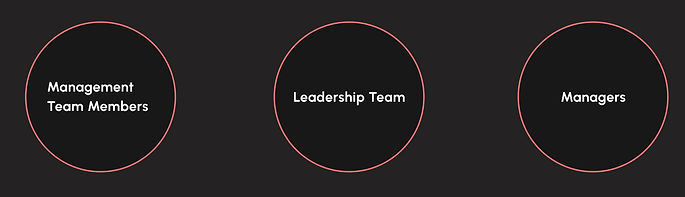
Moderated: Zoom | 45-60 min per person


User Persona
User Persona
User Persona

Defining User Flows
1.
Consolidating Key Business Factors from different companies


An overview of functions of the hub displayed on the home screen
HOME SCREEN


Empty KBF list to start consolidating
Users can either choose to consolidate online or upload a document that they might have worked on offline

Multiple Key Business Factors can be selected, edited and combined
Users can use the filters to view the list of KBFs
Users can preview their edits, and share once they have completed them


2.
Downloading the assessment files and Working Offline


Users can choose to download assessment templates to work offline
Choose between different categories to download the work offline template


Once work on the template has been completed, upload the file under the relevant category
Get feedback from the system about the actions performed


3.
Viewing Reference Documents in order to refer to relevant Business strategy and excellence assessment material


Users require documents to download and refer to
Add, edit or organize files and folders in the Reference Documents section. Choose to view between files uploaded by the company/ team


The file owners and admin can choose sharing options

4.
Designed Conversational Pre-loaders to provide a delightful seg-way into the extensive content they are about to step into


5.
Summary of assessments completed to be viewed in the Assessment hub

Viewing different assessors profile

An option to search for different assessors

Choosing to map a new role from the search results displayed

6.
Summary of assessments completed to be viewed in the Assessment hub
A profile page displaying details of the user and an option to navigate to assessment conducted


Get an overview of all the assessments
A summary of different types of assessments carried out during multiple assessment years.


Getting a concise and detailed view of the details of the assessments, such as the assessment company, assessor, feedback
Choose between 2 different views: tabular and Annual

7.
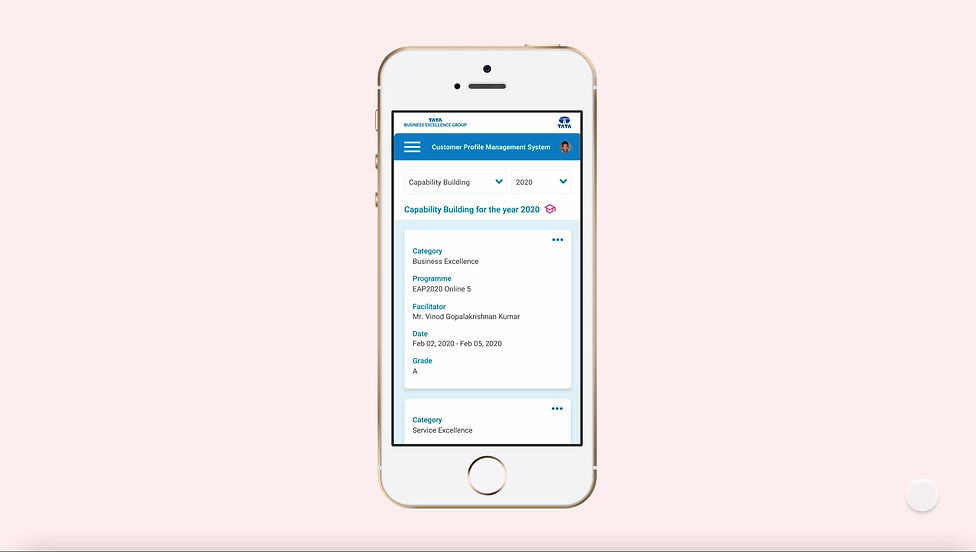
Responsive version of assessments completed
A mobile version to access the summary of assessments conducted anytime and anywhere

View details of the assessments such as assessors and their role in the assessment


Choose between different assessments carried out in multiple assessment years and view details
Key Takeaways
-
Close collaboration with the development team
-
Keeping in mind the development constraints and designing UI
Future Scope
-
Making the assessment hub collaborative
-
System can be made intelligent enough to identify and help in selecting correct process
-
Seamless integration with other common collaborative tools